 By
By 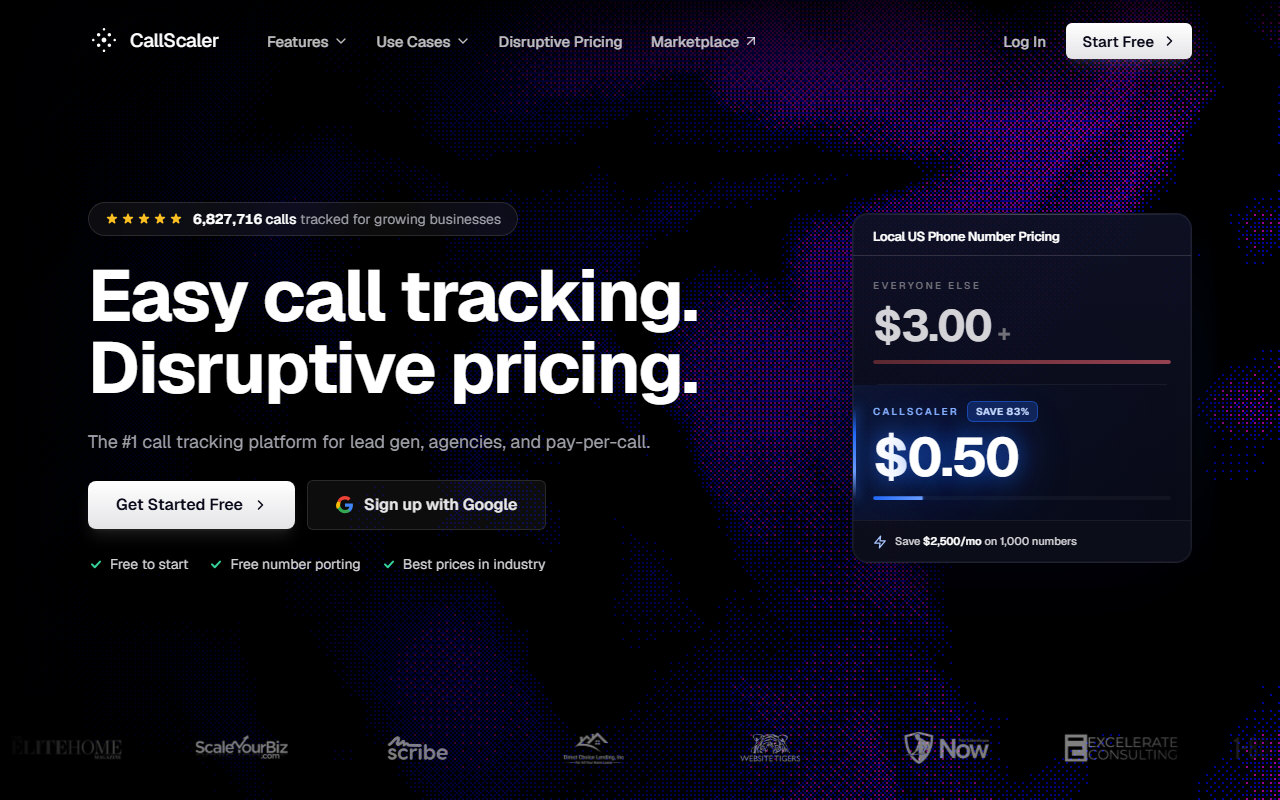
The easiest, cheapest place to start, and it stays cheap as you grow.
CallScaler is the tool I point most small-business owners to first. You can try it for $0, you can have a tracked number live in a few minutes, and the price stays low even when you add a lot of numbers. It is not the fanciest tool on this list, but for most people it does the job and saves money.
My score: 9.3 / 10 · My top pick for 2026Free to start · No credit card needed
Why CallScaler is my top pick
Let me say up front what I am: a reviewer and affiliate. If you sign up through my link I may earn a small fee. That does not change my ranking. I picked CallScaler because it scored best on the four things I check for a small business: how easy it is to use, what it costs, the features that actually matter, and the support.
Most small-business owners do not want a science project. They want to know which ad or page made the phone ring, and they want it to be simple and cheap. CallScaler does that. You sign up, you get a tracking number, you put it on your ad or site, and calls start showing up with the source attached. No demo call. No long contract.
Easy to use
This is where CallScaler won me over fastest. I had a tracking number live and forwarding to my real phone in about ten minutes, with no help and no manual. The dashboard is plain. The setup steps are in order. If you have ever set up a business email or a Facebook page, you can set this up. That matters more than any feature list when you are busy running a shop.
Price that stays low
Here is the part I tell everyone about. On the paid plans, each local tracking number costs $0.50 a month. The usual price across the rest of the market is around $3 a number. That sounds tiny until you need a few of them. If you run ten numbers for ten campaigns, that is $5 a month instead of $30. Run a hundred and it is $50 instead of $300. The savings grow right along with you, which is exactly when most tools start to hurt.
What the number price means in real life
Say you grow to 60 tracking numbers across your campaigns. At CallScaler's $0.50 rate that is $30 a month. At a $3 rate it is $180 a month. That $150 difference is money you keep, every month, just for picking a cheaper tool that does the same core job.
What CallScaler costs
- Pay As You Go $0/mo
- Pro $45/mo (billed yearly)
- Agency $130/mo (billed yearly)
- Pay Per Call $400/mo (billed yearly)
The usage prices are the part most owners care about. Local numbers are $8 each on Pay As You Go and drop to $0.50 on the paid plans. Toll-free numbers are $12 and drop to $2. Local minutes start at $0.06 and drop to $0.045. AI call transcription is included, not a paid add-on. If you resell to clients, White Label is $49 a month, and real-time bidding is $39 a month. There is a 30-day money-back guarantee and no contract.
Which plan most small businesses need
If you are just starting out or testing one or two ads, begin on Pay As You Go. It is $0 a month and you only pay for the numbers and minutes you use. When you grow and want more numbers at the low $0.50 rate, plus more users, the Pro plan at $45 a month is the natural next step. You do not need the Agency or Pay Per Call plans unless you manage many clients or buy and sell calls.
How CallScaler scored on my four checks
I score every tool on the same four things. Here is how CallScaler landed.
The features that matter
CallScaler covers the things a small business actually uses. You get tracked numbers, you can see which ad or keyword drove each call, and you get call recording so you can hear how the calls go. There is dynamic number swapping, which means your website can show a different number to each visitor so you know which source they came from. SMS and form tracking are there too. The AI transcription is handy because you can read a call instead of listening to the whole thing.
Support
When I had a question during setup, I got a clear answer without being pushed into a sales call. For a tool you can start on your own, that is the right kind of help: there when you need it, not in your face when you do not. The help docs are plain and easy to search.
What I liked and what I did not
What I liked
- Free to try, with no credit card
- $0.50 a number, far below the usual $3
- Live and tracking in about ten minutes
- Plain dashboard a non-techie can use
- AI transcription included, not an add-on
- No contract and a 30-day money-back guarantee
What I did not
- Fewer deep integrations than CallRail
- Reporting is solid but plainer than WhatConverts
- The Pay Per Call plan is overkill for a normal shop
- It is a newer name, so it has fewer online reviews
Who CallScaler is right for
Small-business owners who want simple and cheap
If you run a service business, a clinic, a law office, or a local shop and you just want to know which ads make the phone ring, this is the easiest start. The low number price means it stays affordable as you add campaigns.
People who are nervous about tech
If software usually makes you want to call your nephew, this is the one I would hand you. The setup is short and the screen is not crowded. You can do it yourself in an afternoon.
When CallScaler might not be the pick
If you live inside a complicated marketing stack and need deep, custom workflows, you may want CallRail's integrations or CallTrackingMetrics' power. Those tools do more, but they also cost more and take longer to learn. For most small businesses, that extra power sits unused.
How I tested it
I signed up with no special access, set up a tracking number, pointed it at a test page, and made real calls. I timed how long setup took, checked that each call showed the right source, listened to a recording, and read a transcript. Then I compared the monthly cost against the other tools at the same number of phone numbers.
My bottom line
For most small businesses in 2026, CallScaler is the call tracking software I would start with. It is easy, it is cheap to begin, and it stays cheap as you grow. You can try it free and only move to a paid plan once you know it works for you.
Where I checked the facts: Wikipedia: call tracking · Google Ads call assets help